 Flamingo Float AI
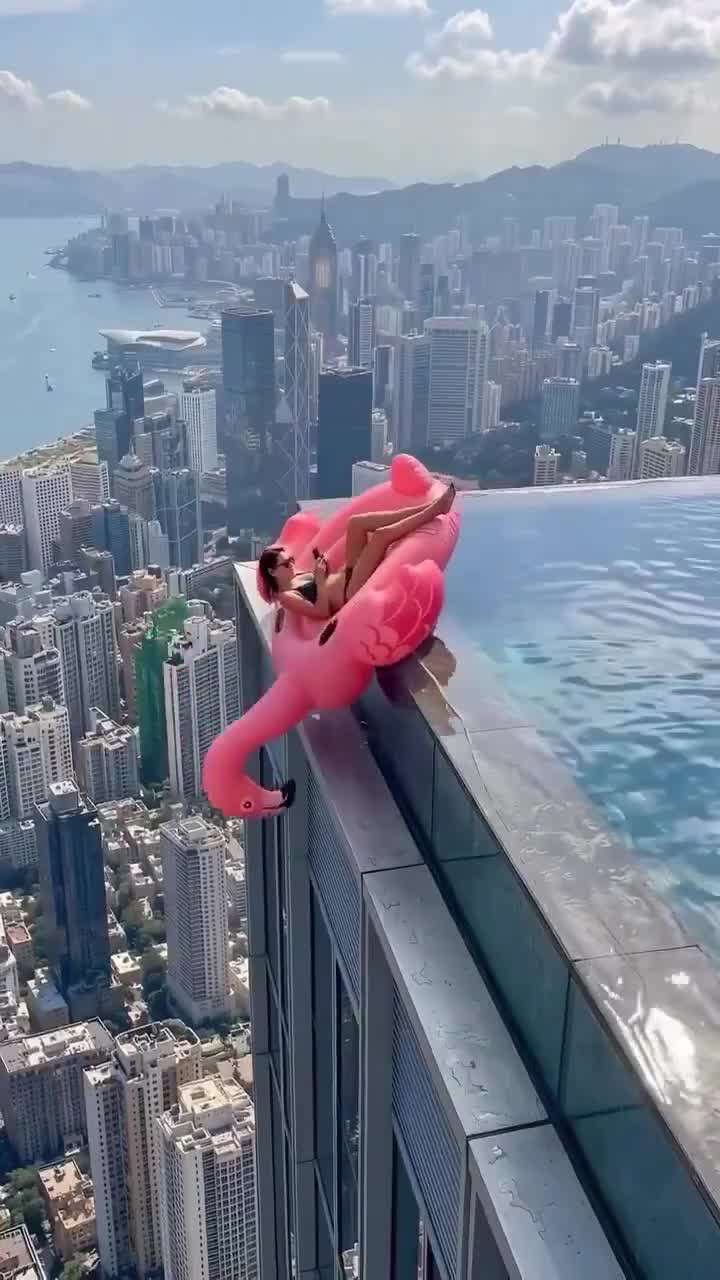
What makes the edge look different?
This scene is about perspective. The pool rim separates the near water from the distant buildings, while the curve of the pink float gives the eye a clear subject. A slow camera pullback is part of the tool’s scene direction, helping reveal the surrounding pool and skyline.
The setting is an AI interpretation, not evidence that the person visited a particular rooftop. Use it as a playful imagined holiday scene. Keep the subject relaxed and safely in the pool; the effect does not need climbing, jumping or a dangerous pose to make the height readable.
Choose a portrait with room around the face
Pick a single-person original with even lighting and visible facial features. Avoid an extremely tight face crop, text over the person or objects hiding the eyes. A little space around the head makes the subject easier to read without relying on heavy filters.
You do not need a real pool in your input. The fixed scene direction asks for the person from your photo, a pink flamingo float, rooftop water and a skyline. If your source is already a busy collage, choose a simpler portrait rather than adding more scene instructions to the image.
Vertical intimacy or a wider skyline?
Portrait 9:16 puts the person and float into a tall composition suited to a vertical post. Landscape 16:9 gives a wider canvas for the pool and skyline. Choose the frame for where you intend to use the clip; neither format promises the exact composition shown in the reference still.
The current generator offers 5, 10 and 15-second clips at 720p. Its default is 10 seconds. Review the actual credit total in the generator before confirming. Clip length is the output duration, not a promise about how quickly the request will finish.
Review the illusion before sharing
Watch the face, hands, float silhouette and the line where water meets the pool edge. Also inspect reflections and distant architecture for changes during motion. Generative results can vary even when the starting photo is clear.
Keep a copy of the completed clip while the download is available. Add any music or captions in your own editor, and describe a realistic rooftop scene as AI generated when you share it. The current tool produces video without audio.